These functions work together to place an image to the left or
right of the title in a ggplot. ggtitle_image() is the main function but
must be used with either theme_title_image() or by setting the
plot.title argument in ggplot2::theme() to ggtext::element_markdown().
Arguments
- title_image
The URL of the image to add to the title. If a valid team abbreviation for the specified sport, the team logo will be used.
- title
The text for the title.
- image_height
The height of the image in pixels.
- image_side
One of
"left"or"right". Places the image on either side of the title text.- subtitle
Optional text for the subtitle.
- sport
Character string identifying the sport (for team logo resolution).
- ...
Other arguments passed on to
ggtext::element_markdown().
Examples
# \donttest{
library(sdvplotR)
library(ggplot2)
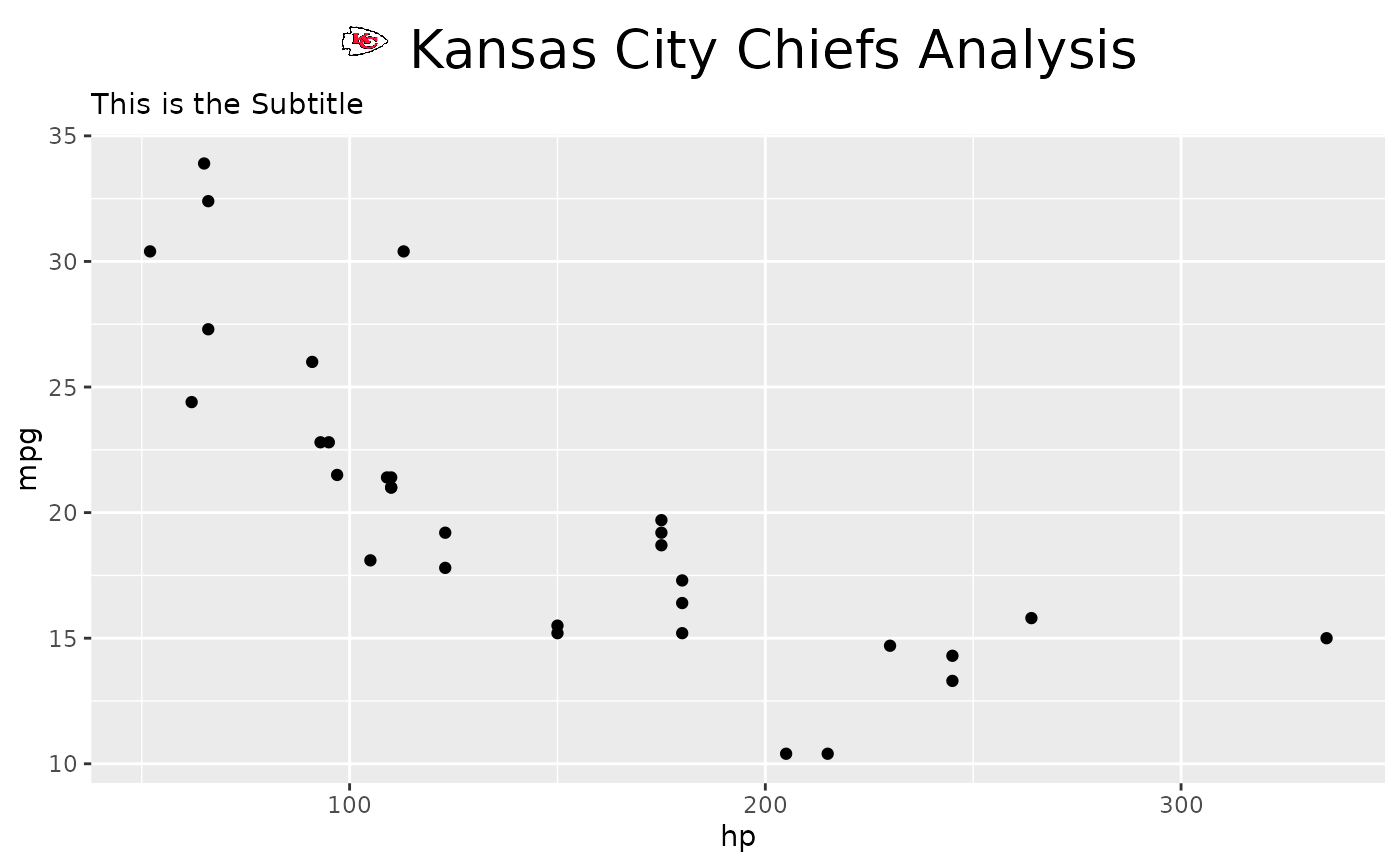
p <- ggplot(mtcars, aes(x = hp, y = mpg)) +
geom_point() +
labs(title = "This Title will be overwritten",
subtitle = "This is the Subtitle")
if (requireNamespace("ggtext", quietly = TRUE)) {
p +
ggtitle_image(
title_image = "KC",
title = "Kansas City Chiefs Analysis",
image_height = 20,
image_side = "left",
sport = "nfl"
) +
theme(plot.title = ggtext::element_markdown(size = 20, hjust = 0.5))
}
 # }
# }